

 1 Year, 7 Months ago
  0
0  128
128 What is Git?
Git is a free and open-source version control system (VCS) designed to handle everything from small to large projects efficiently.
It allows developers to track changes in their code, collaborate with others, and maintain different versions of their projects.
Why Use Git?
- Version Control: Tracks changes in code and allows reverting to previous versions if needed.
- Collaboration: Multiple developers can work on the same project without conflicts.
- Branching & Merging: Developers can work on different features or fixes without affecting the main codebase.
- Backup & Recovery: Stores changes, making it easy to recover lost work.
- Speed & Efficiency: Git is designed to be fast, even for large projects.
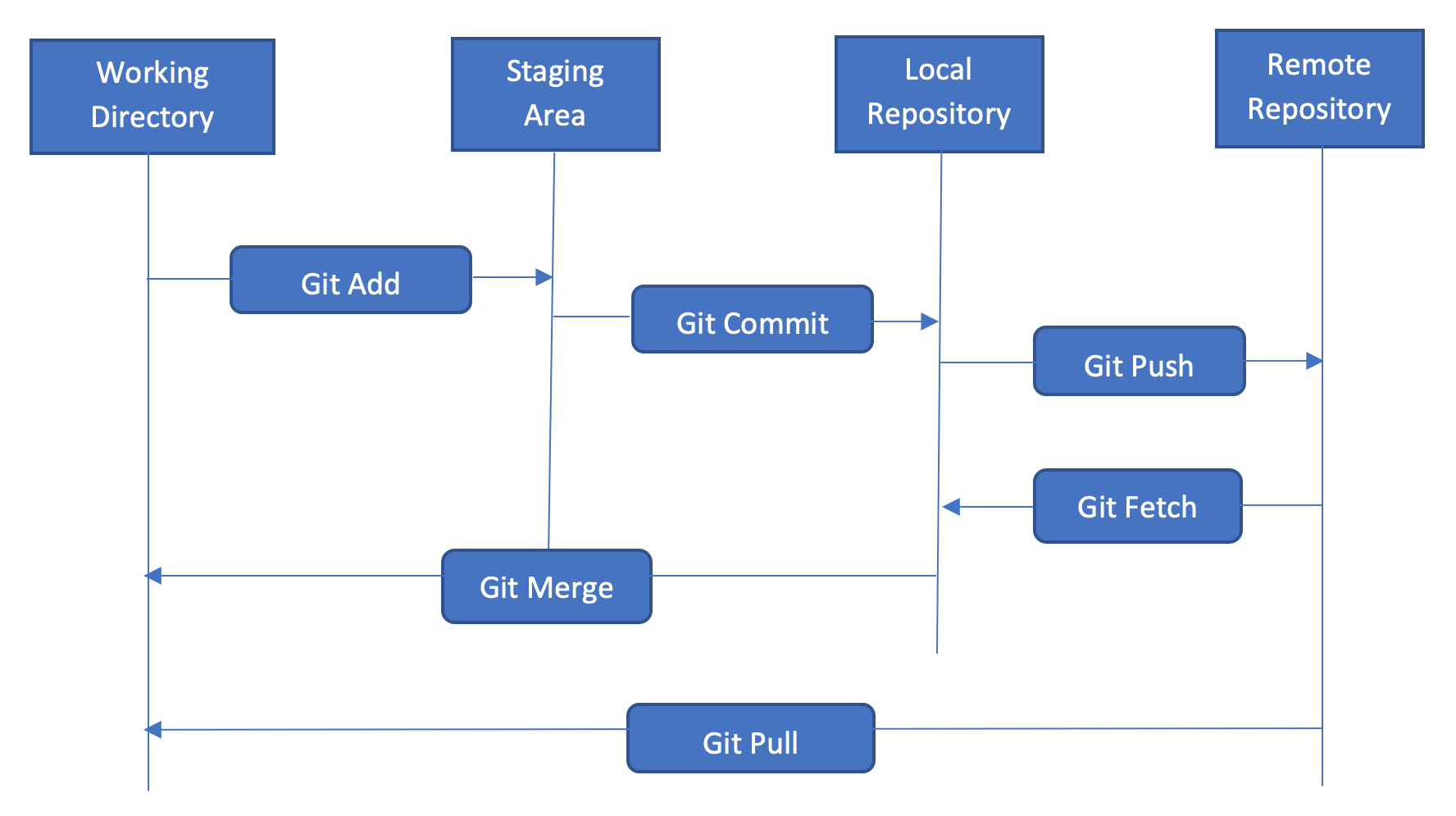
Basic Git Commands
| Command | Description |
|---|---|
git init | Initializes a new Git repository in a project folder. |
git clone | Copies (clones) an existing repository from a remote source (e.g., GitHub, GitLab). |
git status | Shows the current status of the working directory (modified, staged, or untracked files). |
git add | Stages a file for commit (prepares it to be saved). |
git commit -m "message" | Saves the staged changes with a commit message. |
git push origin | Uploads local commits to the remote repository (e.g., GitHub). |
git pull origin | Fetches and merges changes from the remote repository. |
git branch | Lists all branches in the repository. |
git checkout | Switches to a different branch. |
git merge | Merges another branch into the current branch. |
git log | Shows a history of commits. |
Git vs GitHub
- Git: A version control system that runs locally on your computer.
- GitHub: A cloud-based platform that hosts Git repositories for collaboration.